What Is a Good Internet Speed? A Practical Guide

A good internet speed is one that handles your household’s busiest hour without buffering, frozen calls, or long waits. So what is a good internet speed for your home? It depends on which demanding activities overlap, and on upload capacity too. Check yours with Loqmi’s browser speed test. A bigger download number can’t fix every slow connection.
What is a good internet speed for your home?
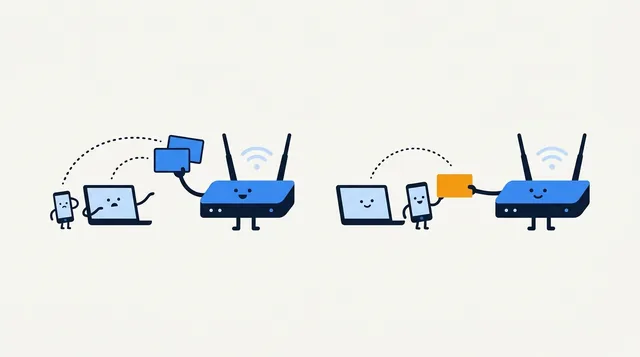
Think of bandwidth as shared capacity, like a pizza that the whole household is trying to reach at once. Each active stream, call, download, backup, and game update takes a slice from the same connection. A console downloading a big update just as someone starts a video meeting leaves very little room for error.
The table gives practical starting points, not guarantees. Service requirements vary, and your home still needs room for overlapping use and background traffic. “Mbps” means megabits per second. It is the unit providers use for internet plans and speed tests.
| What you do | Published example | How to use it |
|---|---|---|
| Watch Netflix in 1080p | 5 Mbps per stream | Count each stream that runs at once. |
| Watch Netflix in 4K | 15 Mbps per stream | Leave room for other people and devices. |
| Join a 720p Zoom group call | 2.6 Mbps down, 1.8 Mbps up | Both directions matter when your camera is on. |
| Use GeForce NOW cloud gaming at 1080p | 25 Mbps and under 80 ms to NVIDIA’s data center | Streaming gameplay needs steady capacity and acceptable latency. |
These numbers come from providers for particular services. They are not universal minimums. Netflix recommends 3 Mbps for 720p, 5 Mbps for 1080p, and 15 Mbps for 4K. Zoom’s figures change with meeting size and quality. The FCC’s 100/20 Mbps benchmark is U.S. policy context, not a personal minimum every home must buy.
A light-use home with ordinary browsing, HD video, and occasional calls may be comfortable below 100 Mbps, as long as those activities don’t collide. A busy home with several streams, remote work, or large downloads needs more room. Compare your real peak, not just the headcount. Gigabit can be an expensive way to make email arrive with confidence.
Read download, upload, latency, and jitter separately
Download speed measures how fast data can arrive. It carries video streams, web pages, app updates, and file downloads. Upload speed measures the other direction: your camera and microphone, files you send, photo backups, or a live broadcast. A plan can have strong downloads and modest uploads, so don’t let one impressive number do all the talking.

Latency is the round-trip delay, usually shown as ping in milliseconds. Jitter is how much that delay wobbles, and packet loss means some data never shows up. These measures matter for responsive games and clear calls. Cloudflare’s quality model also looks at latency under load, since a connection can get less responsive during a large upload.
| Symptom | Metric to check first | Why |
|---|---|---|
| Streaming pauses or downloads crawl | Download Mbps | Several active downloads or streams may be sharing capacity. |
| Your video call looks or sounds poor | Upload, latency, jitter, and packet loss | Your camera sends data; unstable timing can interrupt real-time audio and video. |
| Online game responds late | Ping, jitter, packet loss | Gameplay depends on timely exchanges with the game server. |
| Every device feels slow only in one room | Wi-Fi result versus Ethernet | The local wireless link may be weaker than the ISP connection. |
If a call breaks up despite a high download result, see what packet loss means and how to troubleshoot it. Capacity, delay, and reliability are related, but they are not interchangeable, like road width, travel time, and whether the bridge is open.
Estimate your busiest hour with a worked example
List only the activities likely to overlap. Use service-specific figures when you have them, add download and upload separately, and leave room for ordinary browsing and the devices you forgot were online. This estimate is a planning aid, not a promise that each app uses a fixed amount every second.

Picture two people watching Netflix in 1080p while a third joins a 720p Zoom group call. The two streams account for 5 + 5 = 10 Mbps download. The call adds 2.6 Mbps down and 1.8 Mbps up, so the listed activities total 12.6 Mbps down and 1.8 Mbps up at that moment. You still want headroom for web pages, other devices, and shifts in video quality.
Now swap those two Netflix streams for 4K, and the download subtotal becomes 32.6 Mbps. Add a cloud backup and upload may become the tighter limit. This is why “add 25 Mbps per person” is a crude shortcut. A person reading a page and a person uploading a video put very different loads on a network, like a goldfish and a Labrador at mealtime.
Run a bandwidth internet test that answers your question
A bandwidth internet test measures the connection between your device and a test server at one moment. It is useful evidence, not a verdict on every app or every room. To keep comparisons fair, write down what you changed:
- Pause large downloads, cloud backups, and streams on other devices. Keep the device and test server the same when you compare results.
- Run Loqmi’s speed test where you notice the problem. Write down the download, upload, and any latency, jitter, or packet-loss results it shows.
- Repeat near the router, then over Ethernet if you can. A wired connection removes Wi-Fi as one possible bottleneck; it does not remove every device or ISP limit.
- Run another test when the connection usually struggles. A repeatable evening pattern tells you more than one unusually good result.
Test near the router first, then from the problem spot. Distance, walls, interference, router capability, and the client device can all change Wi-Fi throughput. Need to look at your router settings? Our guide covers how to log into your router. Menu names vary by manufacturer, so use the label on the device or the official manual for its address and credentials.
Find the bottleneck before upgrading
| What you observe | Likely explanation | Next step |
|---|---|---|
| Ethernet is fine; Wi-Fi is slow at the far end of the home | Signal, interference, router placement, or device limit | Test closer, move the router into an open central spot, or wire a stationary device. |
| Speed drops when another person uploads | Shared capacity or latency under load | Check upload and loaded latency during the slowdown; pause or schedule the backup as a comparison. |
| Only one website or app is slow | Service, server, device, or route issue | Compare another site and device before changing your plan. |
| Wired tests stay low at different times | Modem, line, congestion, plan, or ISP issue | Save repeated results and ask the ISP to check the connection. |
A plan upgrade helps when your wired connection already delivers its expected capacity, yet overlapping use still competes for it. Choose for the direction you need. More download suits simultaneous streams and downloads. More upload suits calls, backups, and live video. If wired speed is healthy and one corner of the house is not, a faster plan may simply deliver a faster number to the same unhappy Wi-Fi dead zone.
When 100/20 Mbps is a useful reference
In 2024, the FCC raised its fixed-broadband benchmark to 100 Mbps download and 20 Mbps upload. It is U.S. policy context, not your personal minimum. Other countries may define broadband differently.
Choose by simultaneous activity, connection quality, and where you use it. Advertised tiers describe capacity under provider conditions, and actual results vary with equipment and network load. Compare repeated wired results with your ISP plan details, not a stranger’s screenshot. Numbers without conditions are confident numbers, like a weather forecast with no city attached.
Key takeaways
- Size capacity for simultaneous peak-hour use. There is no universal “good” tier.
- Count upload as well as download when calls, backups, or live video are part of the household routine.
- Check latency, jitter, and packet loss when interactive apps feel bad despite high Mbps.
- Compare Wi-Fi with Ethernet before upgrading, then investigate the bottleneck your tests reveal.
Frequently asked questions
Is 300 Mbps fast enough for a family?
For many families, 300 Mbps download is ample for several simultaneous streams, calls, browsing, and ordinary background use. It can still feel slow if many 4K streams or large downloads overlap, upload is limited, or Wi-Fi is weak. Test during your busiest period and compare the result over Ethernet before deciding whether the plan itself is the limit.
Why is my speed test slower than my internet plan?
A browser test measures the path from one device through your router to a test server at that moment. Wi-Fi signal, device limits, other household traffic, server distance, network congestion, and the ISP connection can all affect the result. Repeat with other traffic paused and, if possible, test over Ethernet to separate a Wi-Fi issue from a line issue.
What is a good upload speed for working from home?
There is no single threshold because call quality adapts and work differs. For a concrete reference, Zoom recommends 1.2 Mbps up and down for one-to-one 720p calls and 1.8 Mbps upload for 720p group calls in its web app. Allow room for concurrent calls, cloud backups, and other users, then check upload during the time you work.
Does a faster plan improve Wi-Fi range?
No. A higher internet tier increases the capacity delivered to your home, but it does not make a router's radio reach farther through walls or reduce interference. If Ethernet is fast and Wi-Fi is slow in one room, address placement, signal coverage, or the device connection before paying for more ISP bandwidth.
Sources
Related articles

Bandwidth Internet Test: Measure Real-World Speed
Learn what an online bandwidth test measures, how to compare wired and Wi-Fi speeds, and what your results can—and cannot—tell you.

What Is Packet Loss and How to Fix It
Find out whether packet loss starts on Wi-Fi, at your router, or beyond it. Use repeatable tests to choose a fix and give your ISP useful evidence.
IP Address Conflict: Causes and Fixes
An IP conflict is usually a local address assigned twice. Learn how to reconnect safely, check DHCP settings, and stop the same device collision returning.