IP Abuse Check: What Reports and Blocklists Mean

An IP abuse check looks for reports or blocklist entries linked to a public IP address. A listing is not a verdict, and an IP address does not arrive with a confession attached. Check which list flagged it, what that list tracks, and whether the report is recent.
That distinction matters because “blocked” can mean very different things. A server may reject email from a residential address as a policy choice, while an abuse database may show reports of scanning or spam. Quickly find the public address your connection uses with Loqmi’s IP tool, then compare that exact address with the relevant checker.
What an IP abuse check really tells you
An IP address is the network number visible to a service you connect to. At home, several devices usually share one public address, because your router uses network address translation (NAT) to pass their traffic through that single outward-facing address. Your router is basically a receptionist who answers every outside call with the same company number, then passes each call to the right desk. Your phone and laptop may have different local addresses, but a website often sees the same public one.
Abuse databases collect reports from users, security systems, or network operators. A report might describe repeated login attempts, spam, malware traffic, or port scanning. It is evidence that somebody associated activity with an address. It is not proof, and it is not a reliable way to identify a particular person or device.
For example, AbuseIPDB exposes report counts, a confidence score, report dates, and categories. Its documentation says the check can limit reports to a chosen age window. A score is only that database’s own summary of its reports, not a general rating of the address. AbuseIPDB API documentation
A blocked IP list is not one universal list
There is no master list that every website checks. We wish there were, because this page would be a lot shorter. A DNS-based blocklist, often shortened to DNSBL, is commonly queried by mail servers to decide whether to accept a message. Other services maintain abuse reports or private risk scores for login protection, fraud screening, or bot filtering. A clean result in one place does not guarantee access everywhere.

Some lists describe policy rather than detected wrongdoing. Spamhaus’s Policy Blocklist (PBL), for instance, covers IP ranges that should not send email directly to other mail servers, and it can include dynamic and static addresses. A residential IP on that list can be normal if you send mail through your ISP or email provider instead of running your own mail server. Spamhaus PBL FAQ
| Result or symptom | What it may mean | Useful next step |
|---|---|---|
| Home IP appears on an email policy list | Direct-to-mail-server sending is discouraged for this address range | Use your normal authenticated email service; investigate only if you run a mail server |
| Recent abuse reports with specific activity | A reporter associated traffic with the address during that period | Check the category and timestamps; secure your router or server if it matches your network |
| One minor list flags the IP, but the service works | That list may not be used by the service, or its data may be stale | Confirm the exact error with the affected service before requesting removal |
| Email bounces and names a blocklist | The receiving mail system may be applying that provider’s listing | Check the actual sending IP and follow the named list’s explanation |
Check the right address and read the result
- Find the public IP in use. Open Loqmi from the same network or VPN involved in the problem. The public address can change when you switch Wi-Fi, mobile data, VPN, or network.
- Check the specific complaint. If an email bounced, copy the blocklist name and reason from the bounce message. If a website blocks a login, its private security system may not use public blocklists at all.
- Compare one report source with one relevant list. For a quick first pass, Loqmi’s IPv4 blacklist checker checks five public DNSBLs. An abuse-report database gives history, while a mail-focused DNSBL gives its own listing status. These are different measurements, so do not count them as votes that add up.
- Read dates, categories, and the address range. A report from yesterday about repeated SMTP connections matters more to a mail server than an old scan report. An old report tells you about as much about today as last year’s weather forecast does. If a listing shows a network range in CIDR notation, such as
192.168.1.0/24, it refers to a block of addresses rather than only the one number you entered. RFC 4632 describes CIDR prefixes.
Also verify that you entered a public address. Addresses such as 192.168.1.20 are private local-network addresses defined by RFC 1918, so public abuse services cannot meaningfully look them up as an internet endpoint. With carrier-grade NAT, an ISP may share one public IPv4 address among customers. In that case the ISP, not a household device alone, can match a timestamp to a connection. RFC 1918
Why your address might be listed
IP addresses get recycled too, so a bad reputation can outlast the person who earned it. Your internet service provider (ISP) may assign addresses dynamically using DHCP, then reassign one after a connection changes. If an earlier subscriber generated spam or suspicious traffic, a later customer can inherit the address’s reputation. Shared hosting and VPN exit addresses can have a similar “one address, many users” problem.
Another possibility is an active issue on a device or server: malware, an exposed service, a compromised email account, or software making repeated requests. Treat a cluster of recent, specific reports as a reason to investigate calmly. Start with router firmware and its admin password, update devices, scan endpoints with trusted security software, and review server or mail logs if you manage them. Do not assume the address itself identifies which device caused the traffic.
To see whether your address is fixed or may rotate, read how static and dynamic IP addresses differ. For the details of a particular reputation result, our guide to checking whether an IP is blacklisted explains the common listing types.
What to do after a listing
Match the response to the evidence. If the service you need still works and the only result is a policy list for direct email, there may be nothing to fix. If a work site or bank blocks you, contact that service with the error and ask which signal triggered it. Broad “IP reputation” scores rarely disclose a universal reason.
If the listing names real activity on a network you manage, fix the underlying cause before asking for removal. For a home connection, save the address, timestamps, list name, and reason, then contact your ISP’s support or abuse desk. IANA explains that global IP allocations flow through regional registries and on to ISPs, which assign addresses to customers. The relevant network operator is the practical first contact. IANA network abuse guidance
If you administer a server, review outbound mail volume, failed logins, exposed services, and recent software changes. Then follow the listing operator’s own removal process. Some entries expire after activity stops. Others require action from the ISP or network owner. Spamhaus notes that a recently removed listing can take longer to disappear from systems that have not refreshed their data yet. Spamhaus listing FAQ
Do not pay a third party that promises guaranteed removal from every blocked IP list. Only the operator of a particular list can change its entry, and listings can return if the underlying traffic continues.
Use this quick decision check
Before you change settings or replace equipment, write down three things: the exact public address, the service that failed, and the list or message that named the problem. This helps you separate a router issue from a policy list or a stale entry.
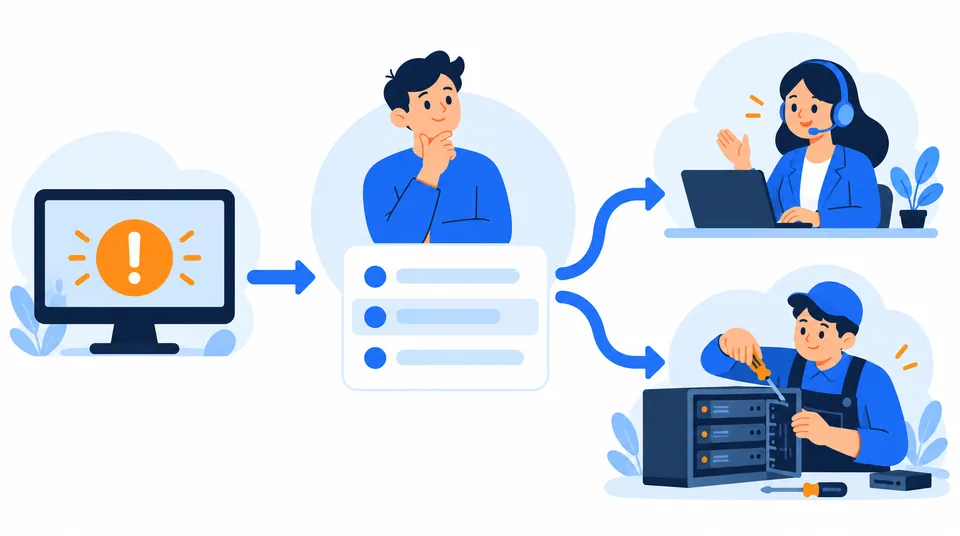
Then retest from the same connection after the appropriate fix. If the issue is poor streaming or sluggish downloads rather than a named abuse block, run Loqmi’s speed test. Reputation lookups do not diagnose bandwidth. If the address is reported in the wrong region, see why IP location can be inaccurate.
Network ownership records can help you find the responsible provider. Regional internet registries (RIRs) coordinate address allocations by region, and registration lookups can show the network holder or its abuse contact. ARIN’s Whois service is one such registry lookup, so use the registry serving the address’s region where needed. A provider can check assignment records that a public reputation page cannot. ARIN Whois guidance
Key takeaways
- A listing is a record or policy signal, not proof that the current user caused abuse.
- Check the public address, the list’s purpose, and report dates before taking action.
- Home users should contact their ISP; server operators should fix the cause and follow the list’s own removal steps.
- A public IP check cannot identify a device or person behind shared NAT by itself.
Frequently asked questions
Can an IP address be listed even if I did nothing wrong?
Yes. Your ISP may have assigned you an address with an older reputation, or a shared network address may reflect activity from another customer. Some lists also describe policy, such as whether a residential connection should send email directly, rather than accusing its current user of abuse. Check the list’s own explanation and the report dates before drawing conclusions.
Does an IP abuse report mean my device has malware?
No. A report associates an address with activity observed by a reporter, but it does not identify the device or person responsible. Address sharing, reassignment, a compromised router, a server misconfiguration, or inaccurate reporting can all affect the result. If reports are recent and concern your network, review devices and router security before contacting your ISP.
Should I change my IP address to clear a listing?
Changing addresses may not fix the cause, and a new address can have its own history. Home customers generally need their ISP to investigate assignment or network issues; server operators should fix the source and follow the specific list’s removal process. Avoid repeatedly rebooting a router or buying a removal service before identifying what was listed and why.
What details should I give my ISP about an abuse listing?
Share the public IP address, the name of the list or database, the exact listing reason, relevant timestamps, and the service that is failing, such as a mail server or website login. Include a screenshot or the listing URL if useful. Ask whether that address was recently reassigned, shared through carrier-grade NAT, or belongs to a range managed by the ISP.
Sources
Related articles
What Is a WebRTC Leak? A Clear Guide
WebRTC can reveal network addresses while a VPN or proxy is active. Learn what each test result means and how to check your own setup without disabling useful calling features unnecessarily.

Whitelist IP Address Safely: A Setup Guide
An IP allowlist can narrow who reaches a service, but only when you enter the right public address and keep the rule current. Learn how to set one up safely.

Proxy vs VPN: Which One Should You Use?
A proxy routes selected app traffic; a VPN usually protects more of your device connection. Compare what each hides, who can see your traffic, and how to check your route.